Desktop media library · your files stay on your drives
Every copy found, even the re-encoded ones.
Médiathèque browses the photo and video folders you already keep, finds duplicates down to a clip and its own smaller re-encode, and compresses video to a quality you choose. What you remove goes to a trash on the same drive, so every decision can be taken back.

How video matching works
Three frames, 192 bits, twelve allowed.
For every video, Médiathèque takes a frame at 25%, 50% and 75% of its length, shrinks it to 160 pixels wide in greyscale and reduces it to a 64-bit perceptual hash. Two videos whose 192 bits differ in 12 places or fewer, and whose lengths agree within 5% or one second, are the same video.
So a smaller re-encode, a copy in another container or a file that was compressed later all land in the same group. Pictures are simpler: two images are duplicates when their bytes are identical.
ridge-flyover.mp41280×720 · H.264 · 10 s
ridge flyover (small).mp4640×360 · H.264 · 10 s
9 of 192 bits differ
Same video
A quarter-size re-encode of the same clip.
Illustration: the bit patterns are generated on this page. Red marks the bits that differ.
Browse
Folders stay folders. Their names become tags.
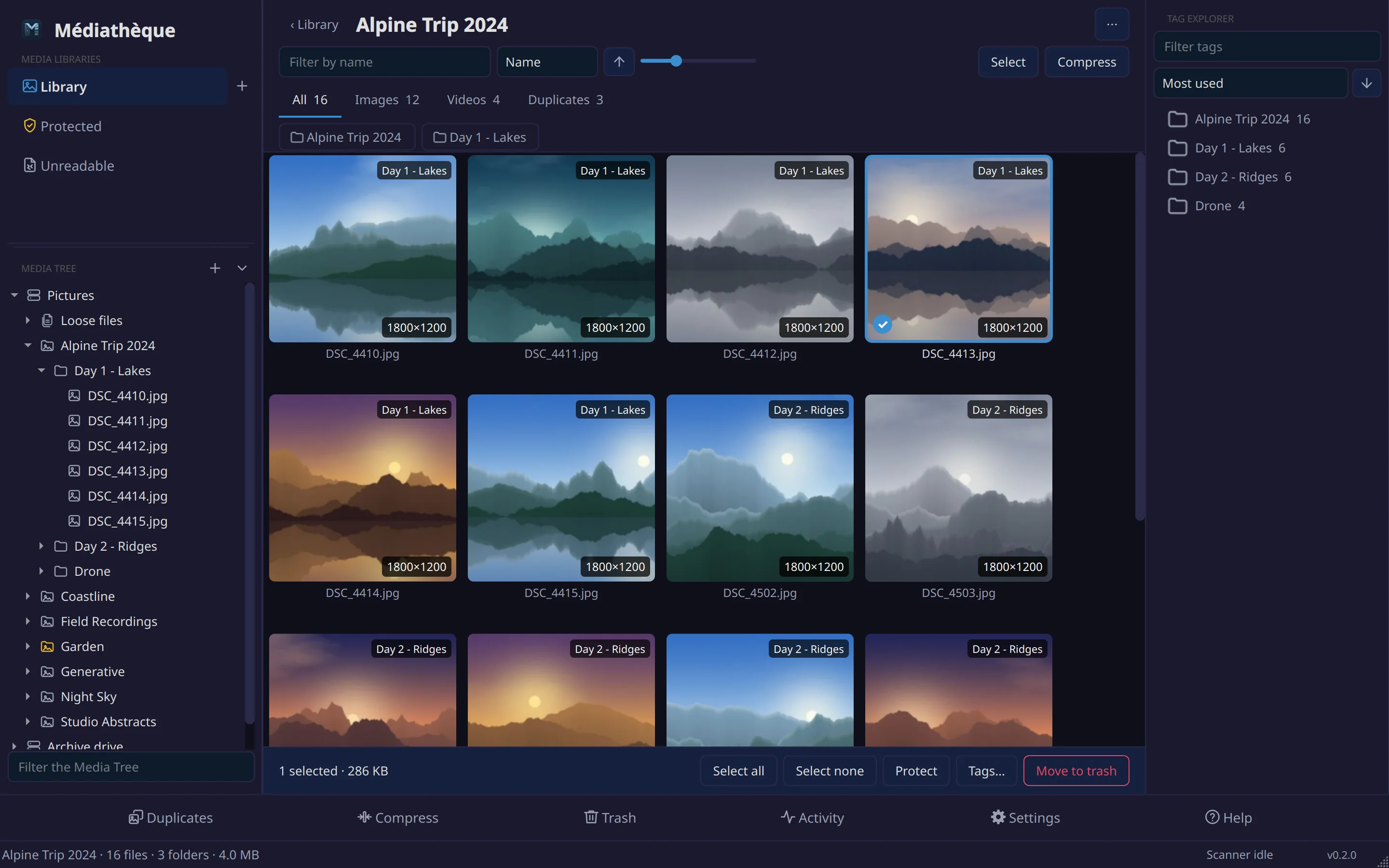
Each top-level folder in a library folder becomes a collection. The folder names below it turn into tags, so a picture filed under Alpine Trip 2024 / Day 1 - Lakes carries “Day 1 - Lakes” without anyone typing it. The Tag Explorer filters by any of them, and the Media Tree keeps the real hierarchy for moving, renaming and new folders.
- Views
- Tabs per kind with counts, sorted by name, date, size, duration or resolution
- Moving
- Drag files onto any folder in the Media Tree, on the same drive or another
Duplicates
Side by side, with the survivor already chosen.
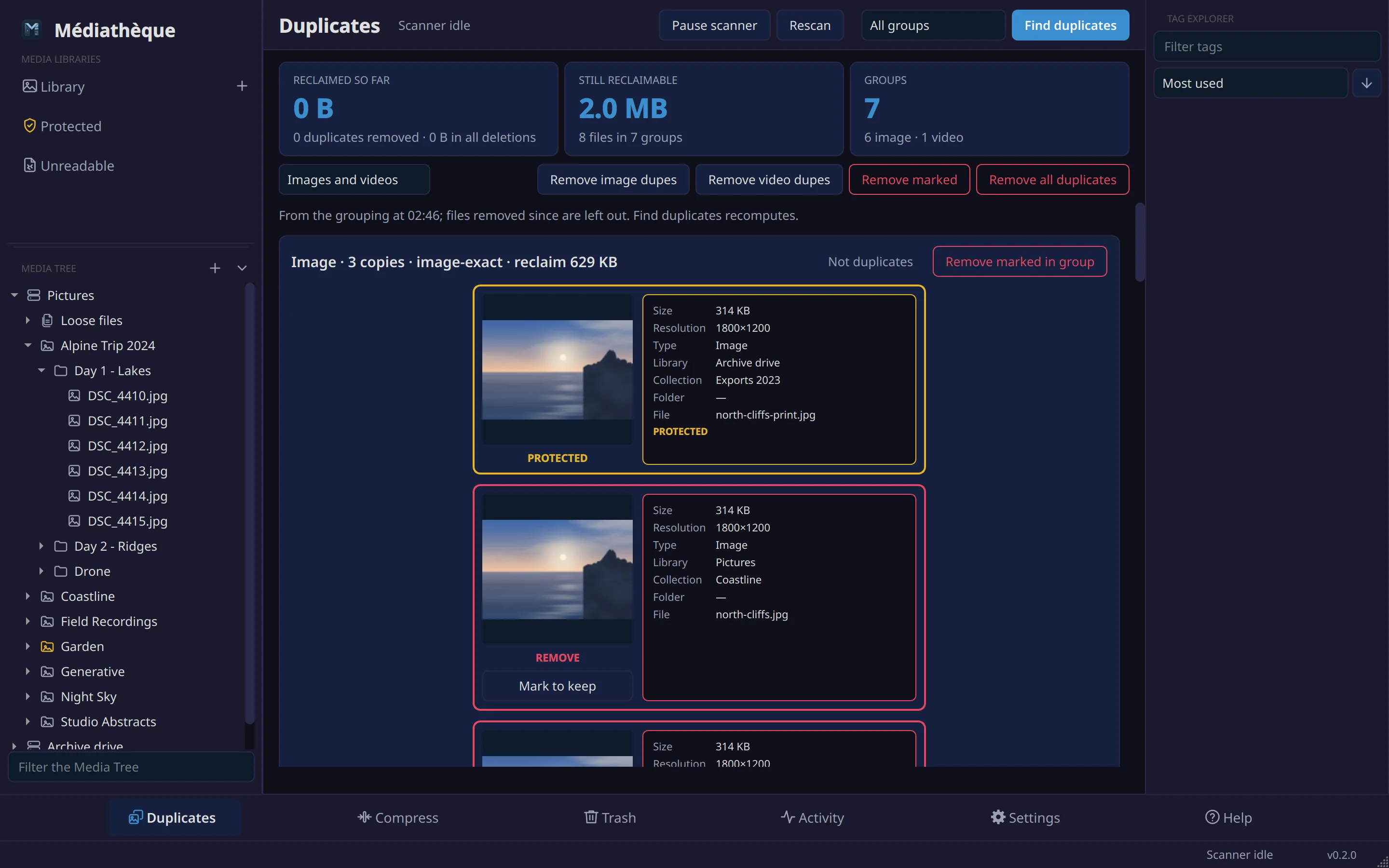
Each group shows every copy with its size, resolution and folder. The copy to keep is picked for you: protected files first, then the app's own work (an already compressed video beats its larger original), then the highest resolution, then the largest file. Change any mark before you remove.
The copies you remove hand their tags, folder names and file names to the one that stays, so nothing descriptive goes with them.
- Pictures
- Identical bytes
- Videos
- Within 12 of 192 fingerprint bits, lengths within 5% or 1 s
- Undo
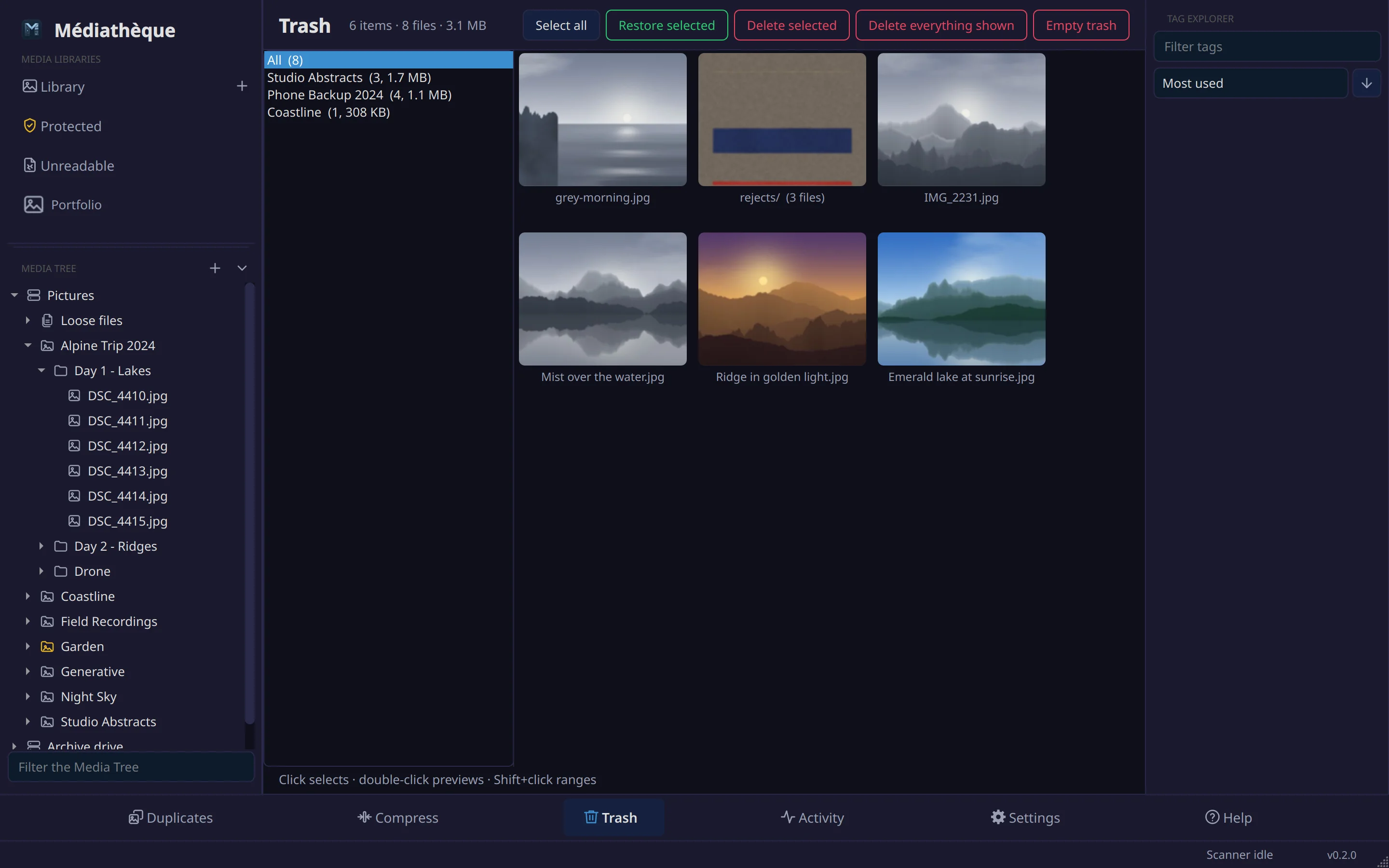
- Restore from the Trash page to the original place
Compression
Smaller video at a quality you set.
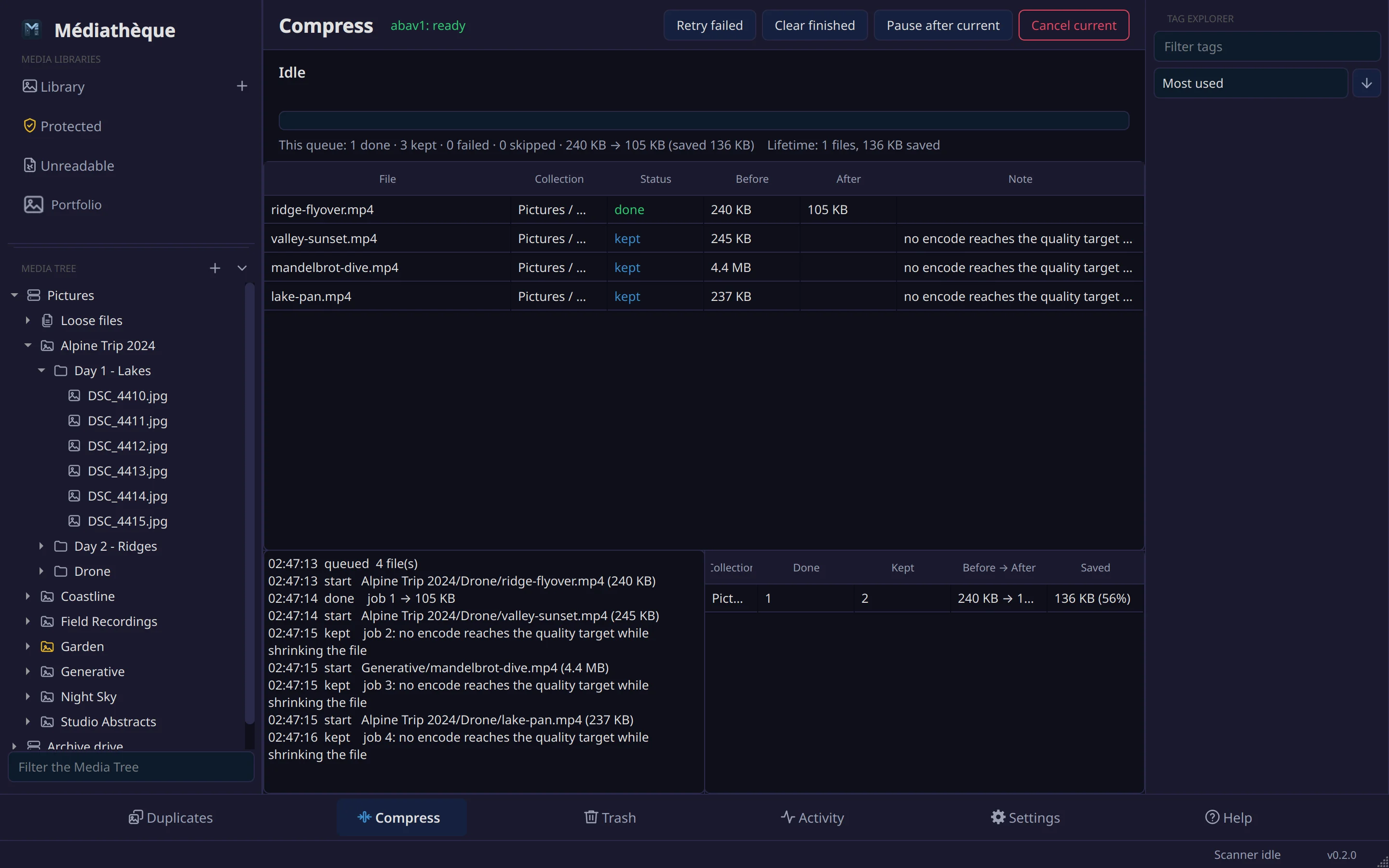
The Compress queue re-encodes video to AV1 with ab-av1, which searches for the smallest file that still scores your VMAF target. Video can be capped at 480p, 720p or 1080p on its smaller side and is never upscaled. When no encode beats the original, the original stays untouched and is counted as kept, not failed.
The new file is written beside the original and swapped in only after the source is proven unchanged. It keeps the original's fingerprint, so it still finds its duplicates.
- Target
- VMAF 95 by default, SVT-AV1 preset 6
- Encoders
- ab-av1 on the CPU, or NVENC, VA-API and fixed-quality CPU for speed
Albums
Albums without copying a single file.
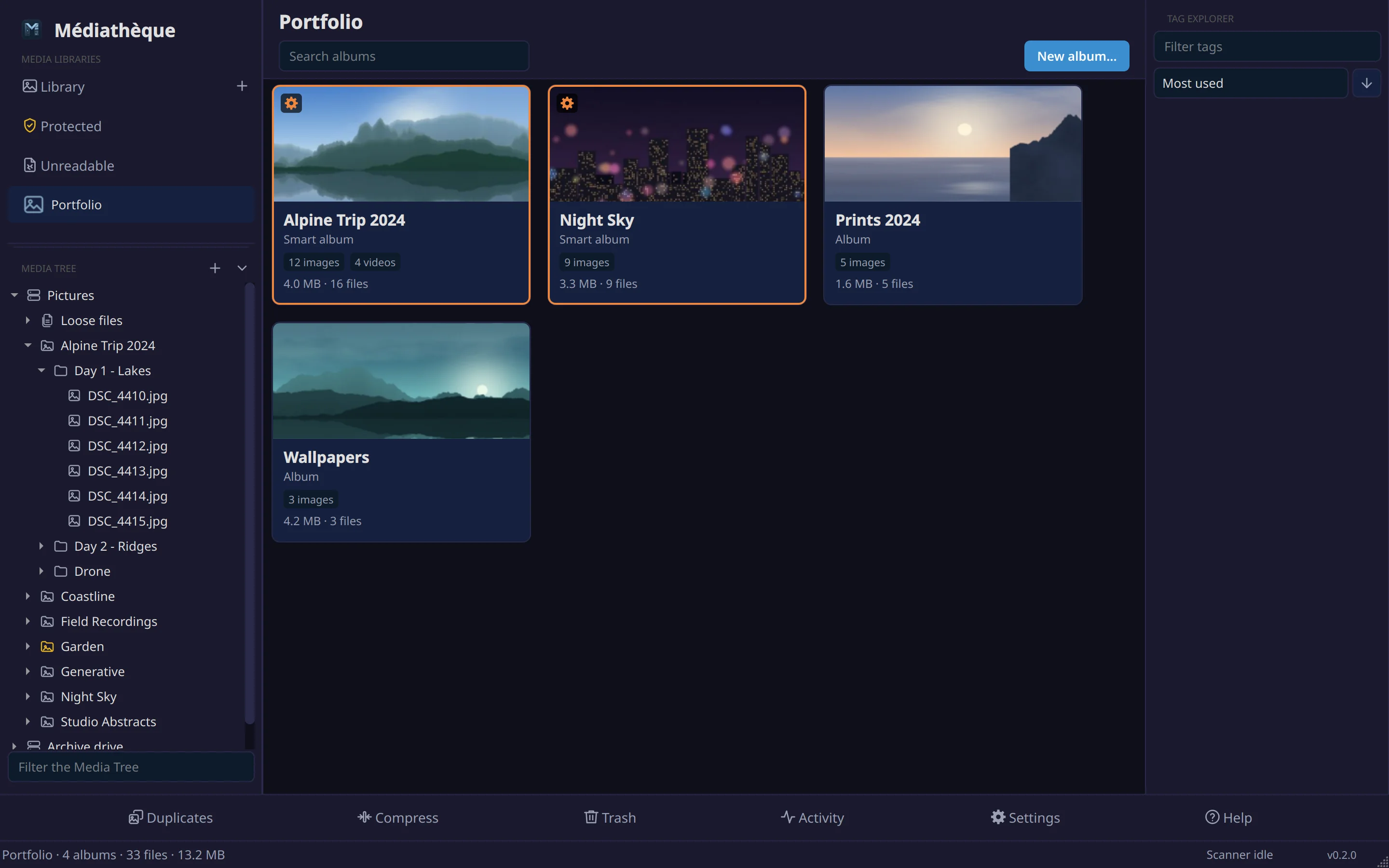
A custom library holds albums. Drop files on one to curate it by hand, or drop a folder from the Media Tree to make a smart album that follows that folder as it changes. Titles, covers and tags live in the app; the files on disk are never touched.
Safety
Built to be trusted with the only copy.
- A trash on every drive.Removed files move to a hidden folder on the same drive, which is a rename rather than a copy, and they come back to where they were.
- Protection that holds.A protected file or folder cannot be trashed anywhere in the app, and it always wins its duplicate group.
- Every decision checked again.Just before a duplicate is removed, the index and the disk are read once more. If either changed, the removal is refused rather than guessed at.
- Unreadable files, listed.Corrupt files and incomplete downloads get a library of their own, so the space they hold can be reclaimed.
Scale
Tested against 1.5 million files.
Development ran against a live pool of 1.51 million files on spinning disks, with a torrent client writing into it the whole time. These are its figures.
Availability
Coming soon.
Médiathèque is being readied for release. Linux comes first, with Windows and macOS to follow.
Until then, the user guide shows everything it does.
- LinuxFirst
- WindowsPlanned
- macOSPlanned